


Description
Download JAR File Opener – Free JAR File Access Software for Windows, Mac, Android & iOS
Looking for a reliable and free tool to open, inspect, extract, and manage JAR files? JAR File Opener is a lightweight, user-friendly software designed specifically for developers, system administrators, and everyday users who need to work with Java Archive (JAR) files. Whether you've received a JAR file via email, downloaded it from a website, or are working on a Java-based project, this tool simplifies the process of accessing and managing its contents. With support for Windows, Mac, Android, and iOS, JAR File Opener ensures seamless access across devices. It allows you to preview file contents without extraction, selectively extract individual files, compress new JAR archives, and even password-protect them for added security. While the software is free to download and use, users should be aware of occasional ads and compatibility issues on older systems. Still, for its simplicity and core functionality, it remains a solid choice for basic JAR file operations.
Key Features of JAR File Opener
One of the standout aspects of JAR File Opener is its intuitive interface and powerful feature set tailored for both beginners and experienced users. The software enables you to open and inspect JAR files instantly, providing a clear directory view of all included files and folders—perfect for developers who need to verify what’s inside a JAR without extracting everything. This preview mode saves time and disk space, making it ideal for quick audits or debugging purposes.
Another major advantage is the ability to extract individual files or entire archives with just a few clicks. Unlike some bulk extractors that force you to decompress the entire file, JAR File Opener lets you select specific files or folders, streamlining your workflow. This selective extraction is especially useful when you only need a few classes, resources, or configuration files from a large JAR.
The software also supports creating new JAR files from existing folders or files, which is essential for packaging Java applications or libraries. You can compress multiple files into a single JAR archive, making distribution easier. Additionally, JAR File Opener allows you to password-protect your JAR files, enhancing security when sharing sensitive data or proprietary code. This feature is often missing in free tools, making it a valuable addition.
For cross-platform users, the availability of versions for Windows, Mac, Android, and iOS ensures that you can manage JAR files no matter where you are. Whether you're on a desktop or mobile device, the core functionality remains consistent. The tool also includes automatic updates to ensure you're always using the latest version with improved performance and security patches.
How to Install and Use JAR File Opener
Installing JAR File Opener is a straightforward process, regardless of your operating system. For Windows users, simply visit the official download page or Microsoft Store, download the installer (.exe), and run it. Follow the on-screen prompts—no advanced configuration is needed. Once installed, launch the app, and you’ll be greeted with a clean, minimal interface that displays your file system and a built-in file browser.
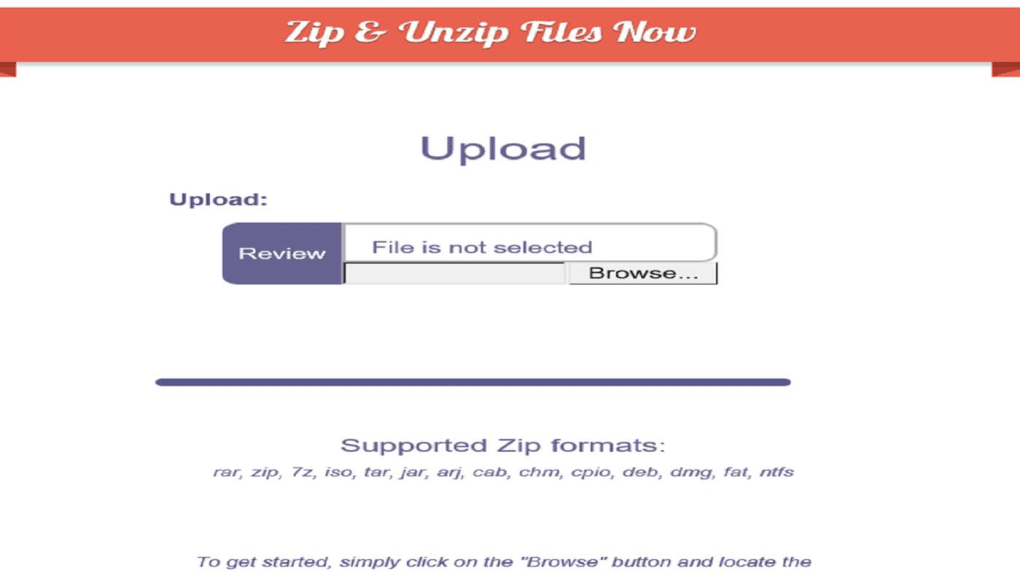
To open a JAR file, click “Open” or drag and drop the file directly into the application window. The software will instantly load the archive’s contents in a tree-like structure. You can browse through folders, view file metadata, and even preview text-based files like .txt, .xml, or .properties directly within the app. This real-time inspection helps avoid unnecessary extraction and reduces clutter.
For extraction, select the files you want to save, choose a destination folder, and click “Extract.” The tool supports batch extraction and maintains the original folder structure. If you’re creating a new JAR, navigate to “Create New JAR,” select your files, and specify a name and location. You can also enable password protection during creation for added security.
On Mac, the process is similar—download the .dmg file, open it, and drag the app into your Applications folder. For Android and iOS, search for “JAR File Opener” in the Google Play Store or Apple App Store. The mobile versions are optimized for touch, with swipe gestures and contextual menus for easy file manipulation. All versions sync updates automatically, ensuring you never miss a critical patch.
Compatibility & System Requirements
JAR File Opener is designed to run smoothly across multiple platforms, making it one of the most accessible tools for JAR file management. The software supports Windows 7 and later, including Windows 10 and Windows 11, ensuring compatibility with both older and modern systems. On Mac, it works on macOS 10.13 (High Sierra) and above, including the latest Apple Silicon (M1/M2) Macs, thanks to native ARM64 support.
For mobile users, the Android version requires Android 6.0 (Marshmallow) or higher, while the iOS version is compatible with iPhone and iPad models running iOS 12 or later. This broad compatibility means developers, students, and IT professionals can use the same tool across laptops, tablets, and smartphones without switching workflows.
The software is lightweight, consuming minimal RAM and CPU resources, which is ideal for low-end machines. It doesn’t require a Java Runtime Environment (JRE) to function—unlike some command-line tools—making it accessible even to non-developers. However, some users on older or less powerful devices have reported occasional lag or crashes, especially when dealing with large JAR files (over 500MB). These issues are typically resolved by updating the app or closing background processes.
Despite being free, the app occasionally displays non-intrusive ads. While not ideal, they are limited to the interface and don’t compromise security. The developers are transparent about monetization, and users can opt for a one-time in-app purchase to remove ads permanently. This optional upgrade ensures a cleaner experience without affecting core functionality.
Pros and Cons of JAR File Opener
- Pros:
- Free to download and use with no hidden fees
- Intuitive, user-friendly interface for beginners
- Supports inspection, extraction, creation, and password protection of JAR files
- Available on Windows, Mac, Android, and iOS for cross-device access
- Lightweight with low system resource usage
- Automatic updates for improved security and performance
- Supports selective file extraction to save time and space
- Cons:
- Occasional ads in the free version (can be removed via in-app purchase)
- Some users report compatibility issues on older or low-end systems
- Not ideal for advanced developers needing scripting or batch processing
- Limited support for nested or corrupted JAR files
- Mobile version lacks some desktop-level features
Frequently Asked Questions (FAQ)
What is a JAR file?
A JAR (Java Archive) file is a package file format used to aggregate many Java class files, associated metadata, and resources into a single file. It’s commonly used for distributing Java applications and libraries.
Can I open a JAR file without JAR File Opener?
Yes, you can use command-line tools like 'jar' (part of JDK) or other archive managers. However, JAR File Opener offers a visual, drag-and-drop interface that’s much more accessible for non-technical users.
Is JAR File Opener safe to download?
Yes, the software is safe when downloaded from official sources like the Microsoft Store, Google Play, or the developer’s website. Always avoid third-party download sites to prevent malware.
Can I create a new JAR file with this tool?
Absolutely. JAR File Opener allows you to select multiple files or folders and compress them into a new JAR archive with a single click.
Does JAR File Opener support password protection?
Yes, you can set a password when creating or modifying a JAR file to protect sensitive content from unauthorized access.
Is there a paid version?
The core features are free. However, a one-time in-app purchase removes ads and unlocks premium features like advanced batch processing and priority support.
Final Verdict: Is JAR File Opener Worth It?
Overall, JAR File Opener delivers solid value for users who need a simple, free, and secure way to manage JAR files across multiple platforms. While it may not offer the advanced scripting or automation features of professional tools like 7-Zip or WinRAR, its ease of use, cross-device compatibility, and built-in security options make it a top choice for everyday tasks. The occasional ads and minor compatibility hiccups are outweighed by its reliability and consistent performance.
If you’re a student, developer, or IT professional working with Java-based projects, this software is a must-have. Its ability to inspect, extract, create, and secure JAR files makes it a versatile tool in your digital toolkit. For those seeking a no-cost, hassle-free solution, download JAR File Opener today and experience seamless JAR file management on Windows, Mac, Android, or iOS.
Download now and simplify your workflow with this free, secure, and powerful JAR file tool.
Guides & Tutorials for JAR File Opener
How to install JAR File Opener
- Click the Preview / Download button above.
- Once redirected, accept the terms and click Install.
- Wait for the JAR File Opener download to finish on your device.
How to use JAR File Opener
This software is primarily used for its core features described above. Open the app after installation to explore its capabilities.
User Reviews for JAR File Opener 0
No reviews found





